

The 9.9L Mechanic Master C24 is one of our smallest and most visually pleasing SFF PC cases, offered in fun colors like Solar Yellow and Sakura Pink, and having a glass side panel for showcasing matching components and RGB.
At just under 10L in size and in a cuboid shape, the C24 is exceptionally portable – and that’s before you factor in the removable carry handle.
Check out our in-depth write-up below about the C24 or explore prebuilt PCs and custom configurations with the C24 in our store:
https://monsoonpcs.com/c24/
Strengths of the Mechanic Master C24
Color Choices & Cool Aesthetics
We subjectively think the C24 has one of the most fun color selections of any SFF case we offer, up there with the larger 18.4L Thermaltake TR100 that we also offer.
With the inclusion of the tempered glass side panel and high quality metal construction throughout, the C24 outclasses the TR100 – and most other cases we offer – in terms of overall quality and aesthetic capability. This provides the capability to view inside the case and see the components, RGB vibes, and of course your (or our) immaculate cable management.
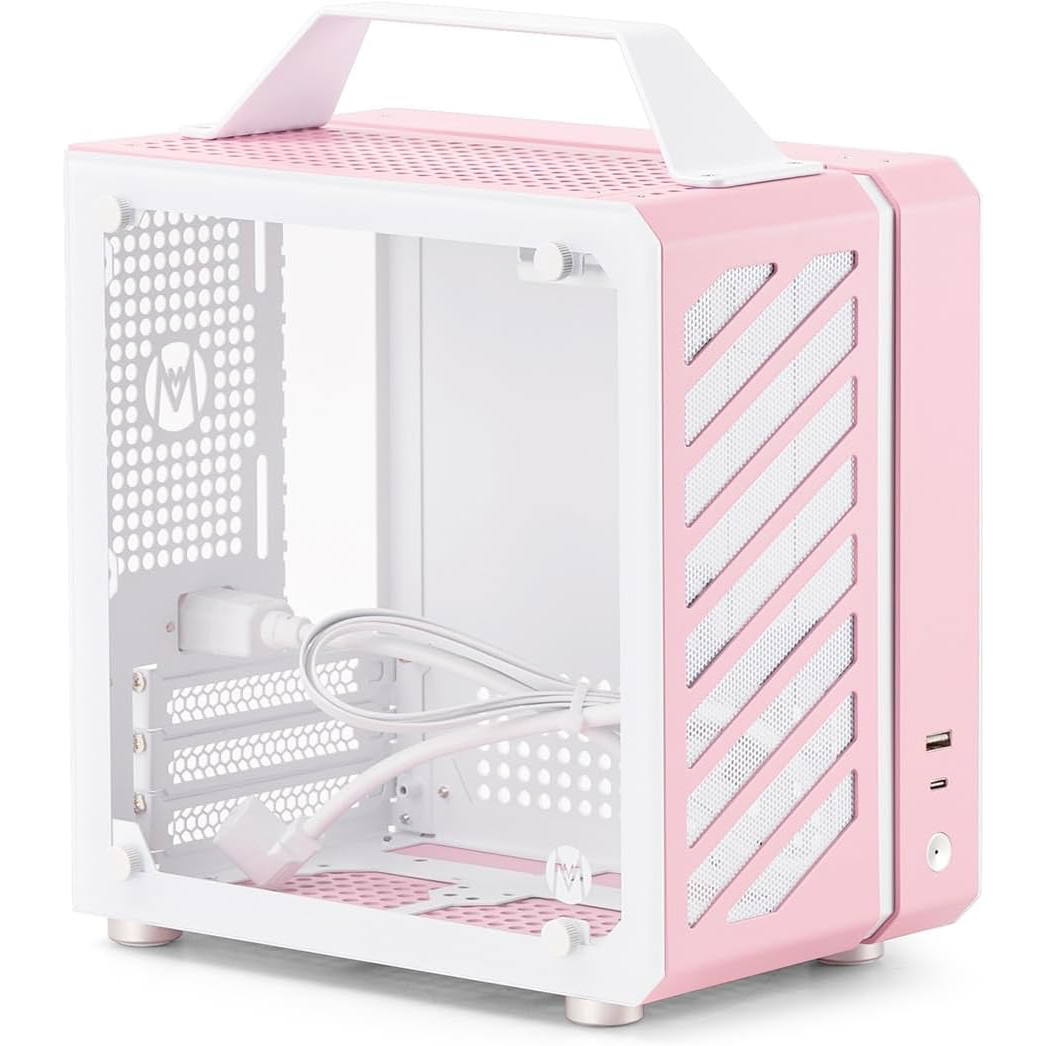
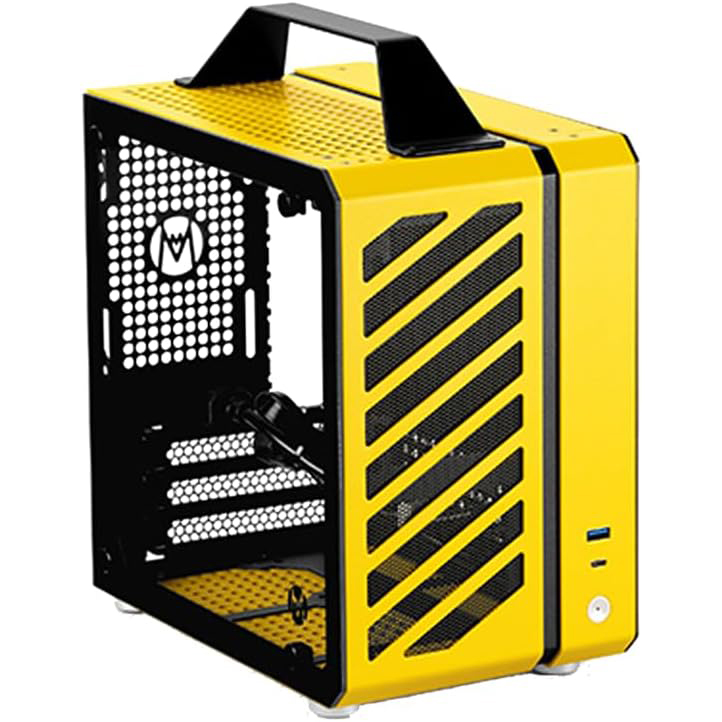
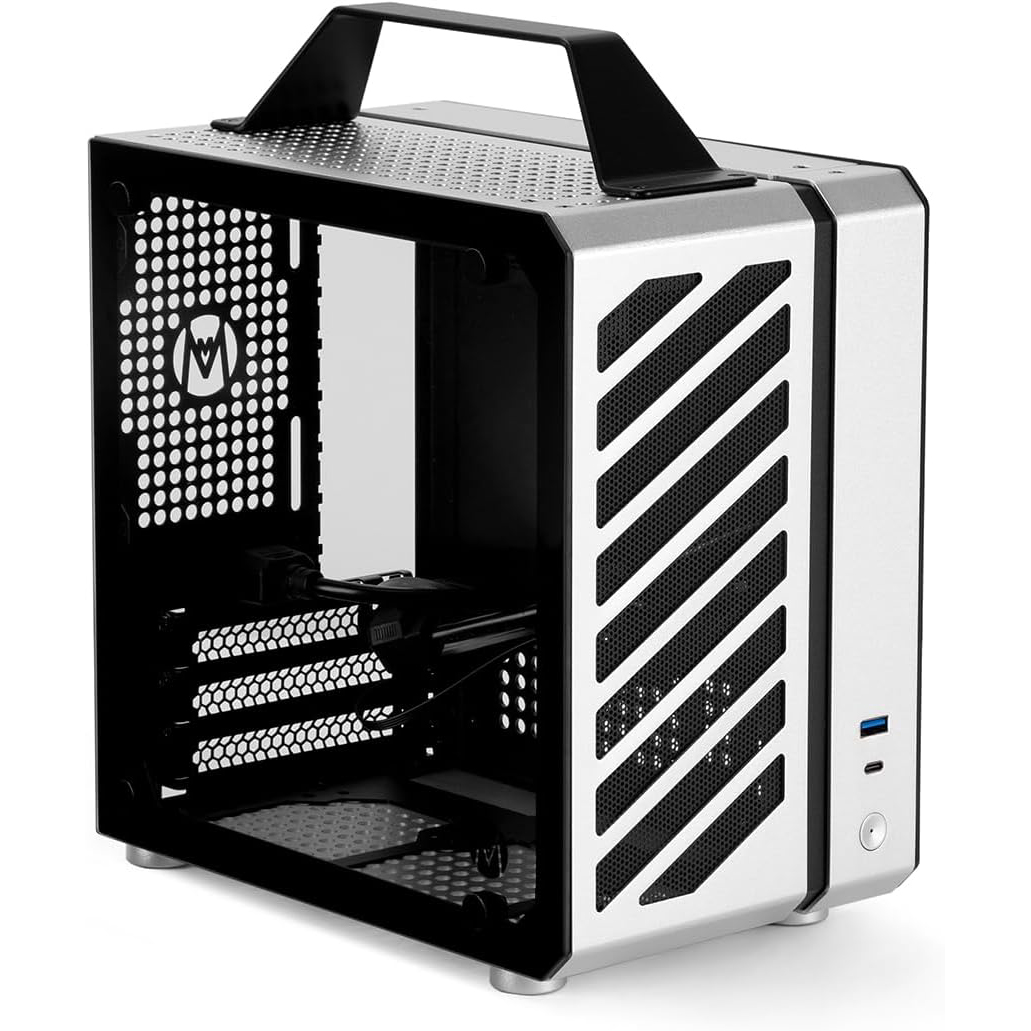
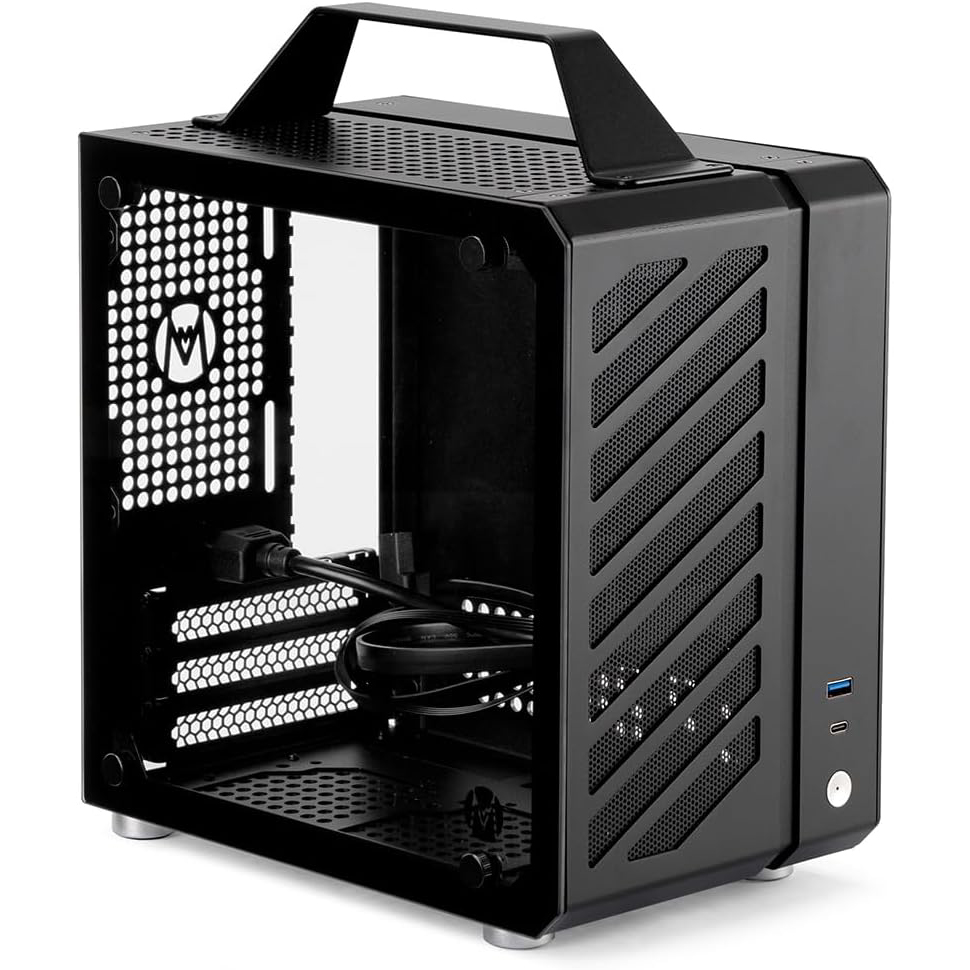
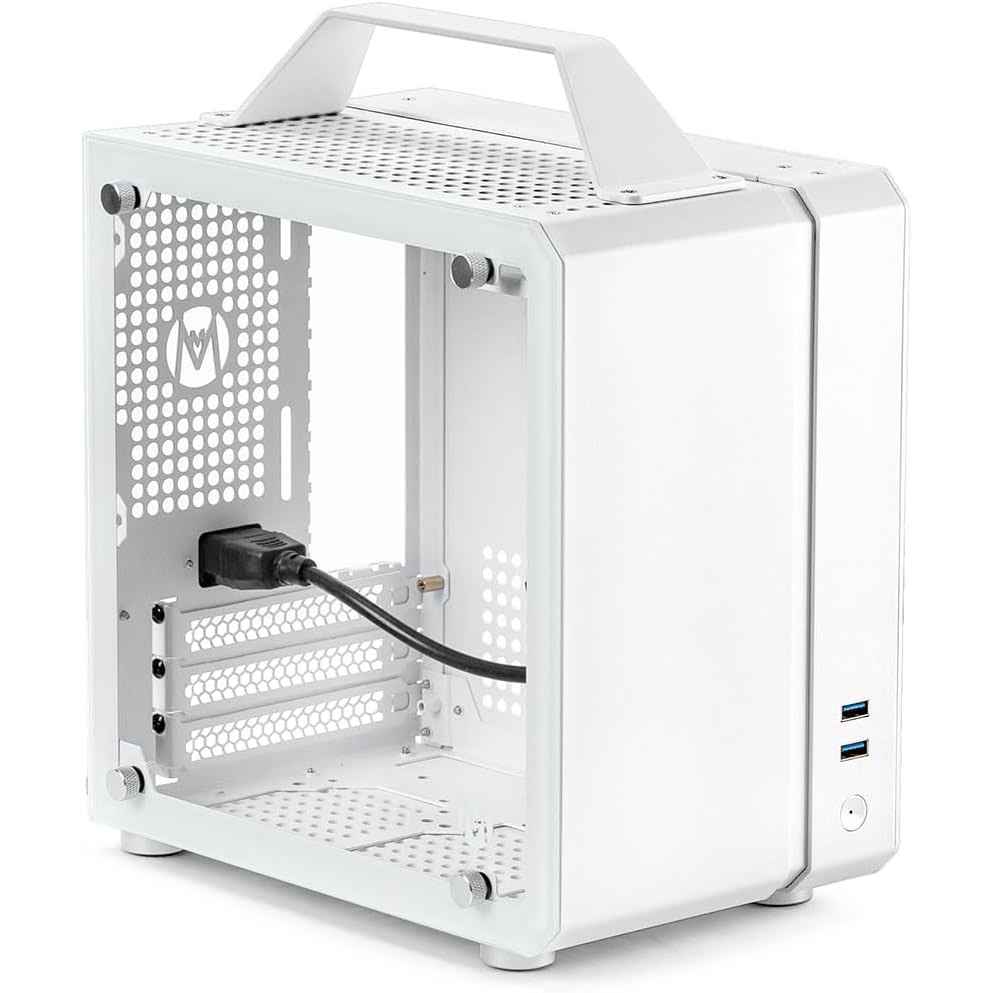
The Mechanic Master C24 comes in two prominent non-standard, fun colors:
Additionally, it can be had in several standard – and we’d argue a bit boring – colors:
Note that the Classic versions of the case have no front airflow option, inhibiting the PSU from a fresh air intake and eliminating the ability to put an optional 80mm (intake) fan in the front below the PSU.
No PCIe Riser Cable Required
Extra-compact cube ITX cases like the C24 tend to have GPU length limitations (more on that later) but they also have a strength that the sandwich style cases like the Fractal Design Terra don’t have: there is no need for a PCIe riser cable.
To their credit, PCIe riser cables might be the biggest reason SFF cases took off in recent years, as they allow the GPU to be placed just about anywhere in a case. We don’t want to diminish what they’ve accomplished for the space, and without them many of our case offerings would not be possible.
However, we’ve found the PCIe riser cable to consistently be the least reliable component across our thousands of SFF builds we’ve completed over the years.
Case manufacturers are intrinsically motivated to source as cheap a riser cable as possible to keep their case cost down and maximize profits. So naturally, most of the riser cables found in our cases aren’t the cream of the crop.
Included PCIe riser cables are often are a generation or two behind the current PCIe standard. While this doesn’t typically create a noticeable performance difference for most build configurations, it’s still suboptimal.
NOTE: if you order an upgraded PCIe riser cable for any of our SFF cases, it will always be the latest generation and the best model we are aware of, such as offerings from
PCIe riser cables can also come loose during shipping and transit quite easily, compared to most other components in a PC build.
Eliminating a PCIe riser cable from a PC build removes its most common point of failure, increasing the reliability of system and maximizing the performance of the installed GPU. It also lowers the cost of the case.
The C24’s GPU plugs directly into the motherboard. It needs no PCIe riser cable. WIN!
Optional Carry Handle
SFF cases are inherently more portable than full-tower ATX cases. They’re much lighter and smaller. So it comes as no surprise that a portion of them also come with a carry handle installed or at least available as an add-on option.
The Mechanic Master C24, being under 10L, is particularly small even within the SFF space, which is typically considered to be cases under ~20L.
So it is really no surprise that the C24 comes with a carry handle.
The C24’s carry handle is removable – though it’s worth noting that you must do so before you assemble the case, as the handle has to be removed prior to the top exhaust fan, CPU cooler and PSU are installed, at the very least. Removing or adding the handle after assembly would require almost complete disassembly of the case, and is not recommended.
Weaknesses of the Mechanic Master C24
Difficult to Build Inside
The Mechanic Master C24 is one of the more difficult cases we have ever built in.
The general compact dimensions, the numerous fans that have to have their cables routed carefully, the large CPU cooler that obstruct virtually the entire motherboard, and the lack of removable panels compared to most other SFF cases we offer make the C24 exceptionally hard to build in and cable manager cleanly.
Assembly in the C24 must be done in a careful order or you’ll find yourself having to rebuild much of the PC.
We recommend, more than most SFF cases, to leave the assembly of the C24 to the experts at Monsoon PCs.
If you’re assembling yourself, we recommend existing SFF assembly experience, exceptional patience, a positive attitude, and the expectation to need to double back at least a few times. A growing willingness to compromise on cable management perfection may ultimately end up winning out, depending on how your adventure goes.
Limited 245mm GPU Length
All SFF PC cases have some degree component compatibility concerns, but the C24’s cube shape creates some atypical restrictions – even for SFF.
Most notably, due to the cube shape, it can only accommodate GPUs up to 245mm in length. This currently limits GPU selections to lower-end Nvidia GPUs up to the RTX 5070, and specific Intel GPU variants.
So while the best performing GPU you can fit in the C24 is an RTX 5070, other cases in the 10L range that we offer, even the smaller 8L Shiny Snake S300 and L300 siblings, can all accommodate at least one variant of any GPU model available, providing much more powerful GPU capability.
However, if an RTX 5070 (or less) is all you’re after, this weakness doesn’t affect you!
Just-OK Case Cooling
Don’t get us wrong – the C24 can accommodate 3-4x case fans and has plenty of overall airflow. It’s just that compared to some of our other cases, it ends up in the middle of the pack at best for overall cooling capability.
The biggest hindrance the C24 has going for its case cooling is also one of its best features – that large tempered glass side panel.
While less of a big deal for full-tower ATX systems that have a lot more CFM capability, high-end SFF cases require maximum porosity across every case panel to allow air to cycle through the case. Even without active airflow from a case fan, this can make a big difference if a component like a GPU can just blow its warm air out of adjacent panels, such as in the NCASE M2, which requires no additional active cooling to keep even a 600W RTX 5090 about as cool as open-air, when configured in its flipped configuration.
Unfortunately, the warm air produced from the GPU in the C24 is almost completely inhibited by the glass left side panel and mostly-solid opposing right side panel. This warm air has to travel out the sides and top of the GPU, up across the CPU cooler and out the rear and top of the case.
This means the other components, particularly the CPU, have to deal with that warmed-up air.
Thankfully, the C24 still can accommodate several case fans to help move the air through the case quickly, minimizing heat soak potential:
- 1x bottom 120mm slim fan (Amazon)
- 1x top 120mm slim exhaust fan (Amazon)
- 1x rear 92mm exhaust fan (Amazon)
- 1x front 80mm slim intake fan – dependent upon GPU length (Amazon)
Additionally, we tune both the BIOS and FanControl software (Windows only) to react accordingly to CPU and GPU temperatures. FanControl crucially allows us to vary case fan speeds partially or completely based on the GPU’s temperature, which is of particular importance to move the warm GPU air through the C24 as it heats up.
If ordering a C24 build from Monsoon PCs, we recommend utilizing Windows for and retaining our FanControl configuration for additional dynamic cooling benefits from the case fans based on the GPU’s needs.
Only Air CPU Coolers
Due to the C24’s design, once a GPU is installed there is no outer surface to mount an AIO (all-in-one) liquid CPU cooler to – not even a compact 120mm AIO.
This isn’t a huge deal, and is more of a minor limitation. Like the C24’s GPU limitation, other cases in this size range like the Lian Li A4-H2O or the NCASE / FormD T1 have beefier CPU cooling in their 240mm AIO options, making them more appropriate for the hottest CPUs and for workstation use. No air cooler – not even the incredible-if-not-grossly-overpriced Noctua NH-D15 G2 (Amazon) – can outperform a quality 240mm AIO.
However, the C24 can accommodate larger CPU air coolers than most of its counterparts in its size range, like the Fractal Design Terra and the Shiny Snake S300 / L300. The C24 can fit CPU air coolers up to 135mm tall, allowing it to accommodate the lauded Thermaltake Peerless Assassin 120 Mini (Amazon).
However, we prefer to install the similar-performing Thermaltake SI-100 (Amazon), whose downdraft design provides additional direct cooling to the RAM, SSD and motherboard, while showcasing a large 120mm RGB fan outwards. This is the CPU cooler most-prominently showcased across our C24 products.
Both CPUs coolers above are capable of cooling more than 200W and can handle the hottest CPU coolers available. Thus, if you’re choosing the C24 for gaming, there is no reason to be concerned with the CPU air cooling limitation.
About Mechanic Master
Mechanic Master is a Shanghai-based computer accessories company that was founded in May 2020 (according to their website).
Their original two cases, the C24 and the subsequent C26, remain their top sellers and as of the publication of this article:
